It’s been 14 years since Sony last released a PSP (PlayStation Portable), the handheld PlayStation console that was a rival to the incredibly popular Nintendo DS. Handheld gaming was as big as console gaming, with the ability to play “on the go” held in high demand by many consumers. The impressive feat of the PSP was that it allowed you to play games of a similar level of graphics to those on the PS3, however, in very few cases could you play the same game as what was available for PS3. The PSP was an interesting device, with a great screen, and a very strange, but also pretty cool disc drive, and was a great success at the time, selling 80.8 million units worldwide (as at September 2023).
Fast forward to today, and the industry has started to see a shift back towards handheld consoles. Nintendo struck gold with their innovative Switch system, and the rise of the SteamDeck allowed players to play games from the PC Gaming Library, Steam, on the go. Neither of the “Big Two” (that is, Sony and Microsoft), have shown interest in releasing a handheld console, and despite today’s review, I feel I need to make it very very clear that this still remains the case. The PlayStation Portal is NOT a console, but instead a remote player, and in this article, I shall be breaking down my experience with Sony’s “answer” to handheld gaming.
Obviously, this is not a sponsored article, I went and bought the Portal myself for release day, mainly because I felt that it would enhance my ability to play my PlayStation in different places and not necessarily confine me to my room. It means I don’t have to take up the TV in the Living Room, nor do I need to cart down the PS5 all the way downstairs. First world problems right? It also seemed like something I would be interested in, even for shorter play sessions, it felt like a good solution for these moments.
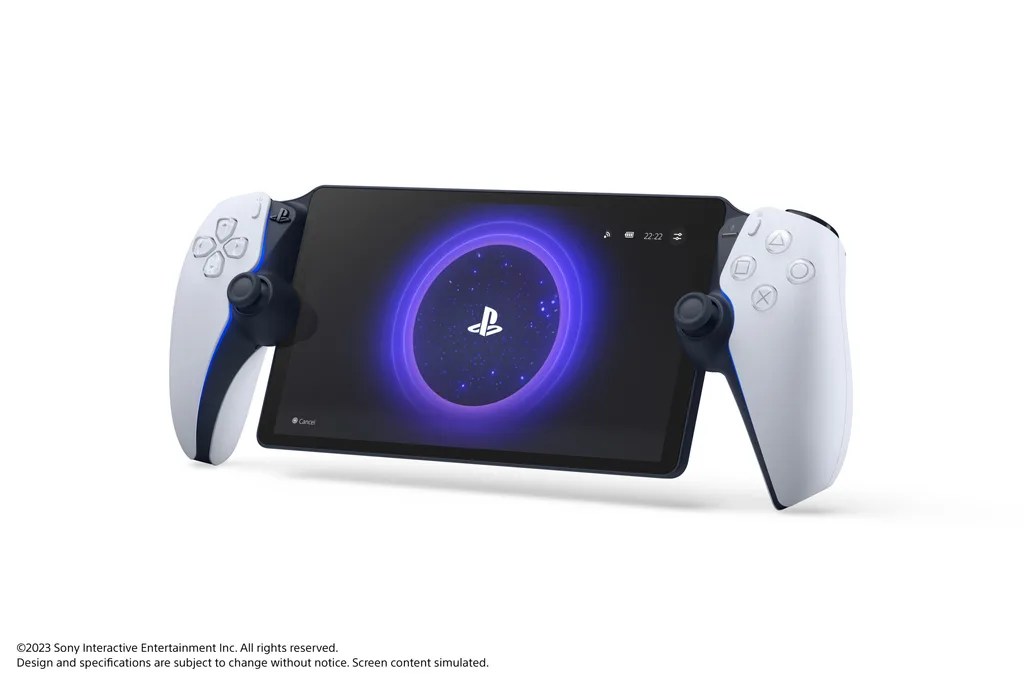
One of the most striking things when you first open this device is just how hefty this thing is. There is some serious weight in the Portal, and I suppose that’s because you have a full DualSense controller and a relatively large screen forming your device. The screen size is generous, and I can confidently say that this is one of the most comfortable handheld gaming devices I’ve ever used. The DualSense on either hand gives that same feel as holding a standard PS5 controller, complete with full haptic feedback. This sets the Portal apart from other handhelds in the market, hand cramp is not going to be a factor, and that is a relief in itself.
“One of the most striking things when you first open this device is just how hefty this thing is.”
The Portal’s screen is genuinely superb, with a vibrant display that does not feel held back by not being an OLED. I’ve played a few different games on the Portal in the time I’ve had with it, and I’ve been impressed with just how good my games have looked on this screen. This 8” LCD screen genuinely does feel generous in size – I never found myself squinting to look for details or feeling like I couldn’t see everything, and the brightness it can reach is quite impressive. The touch screen is responsive and easy to use, and makes for quickly disconnecting when finishing up your play session.
Let’s address the elephant in the room. As I mentioned earlier, this is not a console, but merely a remote player. In order for you to use one of these, you must own a PS5 already, have it in rest mode, and be connected to decent WiFi (Sony recommend minimum speeds of 15Mbs), on both your PS5 and your Portal. You do not have to be connected to the same WiFi network for this to work however, and so can you take this device to other places where you know there will be good WiFi. As long as you buy this device knowing it’s NOT a console, then I feel that expectations will be better managed.
Connecting from the Portal to your console takes about 30-45 seconds, and once connected, that’s you good to go. This was slightly longer when playing somewhere that wasn’t my house, but I wasn’t ever waiting longer than a minute to connect up and play. Disconnecting is as easy as pressing a button, and quite nicely, you can switch your PS5 back onto rest mode from the Portal, meaning you’re not leaving the console on while you’re not at home.
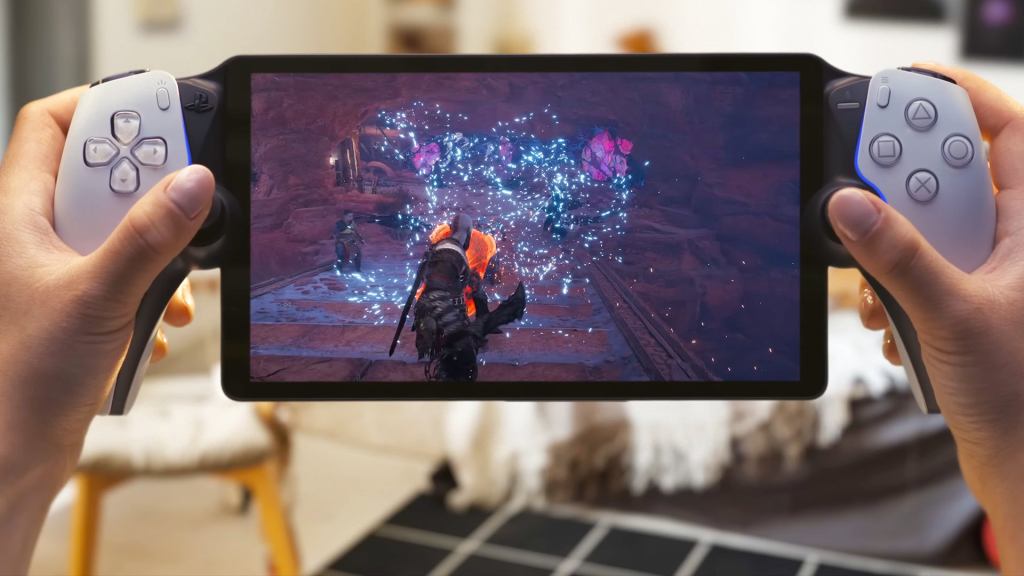
Playing some of PlayStation’s wide variety of first party titles, including Ratchet and Clank: Rift Apart, feels like a treat when playing handheld.
I’ve played the Portal for a total of about 6-7 hours so far, and I have played a few different games on it, testing different elements to come to my conclusion. The first game I tried on this was Lies of P, a soulslike game that has me hooked (review coming soon). Running through standard enemies and areas was no problem, I felt that the game was being streamed smoothly and was just like playing on the PS5. However, where I felt things fell short was in the boss fights. Due to the nature of streaming via Internet, and relying on two separate Internet connections at times, I could not get precise enough timing in the game’s difficult boss encounters. Lies of P focuses heavily on parrying and perfect guarding, which requires strict and precise timing in order to effectively pull off. The nature of the device meant that even the slightest bit of latency would change the timing of my actions, and I resorted to waiting to use the PS5 before facing bosses.
To see if this was a parry only issue, I re-downloaded Dark Souls 3 and played the first two sections of the game on the Portal. A game that is focused more on dodge rolling than parrying and blocking, I was pretty pleased that the latency wasn’t a factor in my run. My dodge rolls were as precise as they would have been on the PS5, and I feel pretty happy that I could play the whole game on the Portal if I chose to.
I tried some of Spider-Man 2, and it’s safe to say I had a blast on it as I was experiencing the full use of the Haptic Feedback that the controller had to offer. This was as responsive as playing on the console, and not only showed off the controller but also the screen. Latency was not noticeable while playing this game, and I even tried this at my Girlfriend’s house, which is about 30 miles away from mine. Connecting the Portal to her WiFi, and leaving the PS5 at my house, I was able to play Spider-Man 2 and EAFC 24 like I was up in my bedroom. This is a big thumbs up and a resounding success story for me, being able to take this device elsewhere and play.
FInally, and as mentioned in the last paragraph, I also tried out EAFC 24 on the Portal, but more specifically I focused on playing a few online matches. I was surprised at how smoothly the game felt and ran through streaming, and at no stage did any latency or connection issues occur while playing online. Again, I tried this in a couple of places and it ran very smoothly throughout. I experienced one dip while navigating the menus but apart from that, it ran very well.
“Spider-Man 2 … was as responsive as playing on the console, and not only showed off the controller but also the screen.”
Overall, I’m pretty impressed with how smoothly streaming the games has been, but have to stress the disappointment in the difficulty with the Boss Fights in Lies of P. It does just mean that I’ll be selective about what I play on the Portal and on the PS5, which I personally don’t have a problem with, but I recognise that this is a negative for some.
While my feelings towards the Portal are largely positive, I can’t help but feel like there are a couple of design issues that leave me slightly baffled. Firstly, the location of the charging port and headphone jack are super awkward and fiddly, and I struggle with getting the charger in sometimes. Secondly, the “solution” to not having a touch pad on the controller is slightly counter-intuitive and also was a bit hit and miss in terms of functionality for me. I would be tapping the screen for a minute before the touch-pad option would register and work, and at times it can be relatively frustrating.
Verdict
I’m not here to tell you whether you should buy this or not, because I think this will be worth more to some people than to others. At £200, I do think this is ever so slightly overpriced (£150 would have been a great price, and for me, £175 probably feels about right), however, if you’re someone who shares a TV screen with someone and you don’t want to take it on them all the time, but still want to play the PlayStation, I feel that this is a pretty good solution. The WiFi limitations are there for everyone to see, but if you’re fortunate to have fast Internet, then this won’t even be a factor. With Haptic Feedback, and a vibrant screen, the PlayStation Portal is a nice addition, and a welcome one, to the PlayStation family of consoles.
My rating: 8.5/10
 Gaming Ramble Weekly
Leave a comment